

emacs-personal
Lightweight Emacs configuration with essential utilities and personal customizations
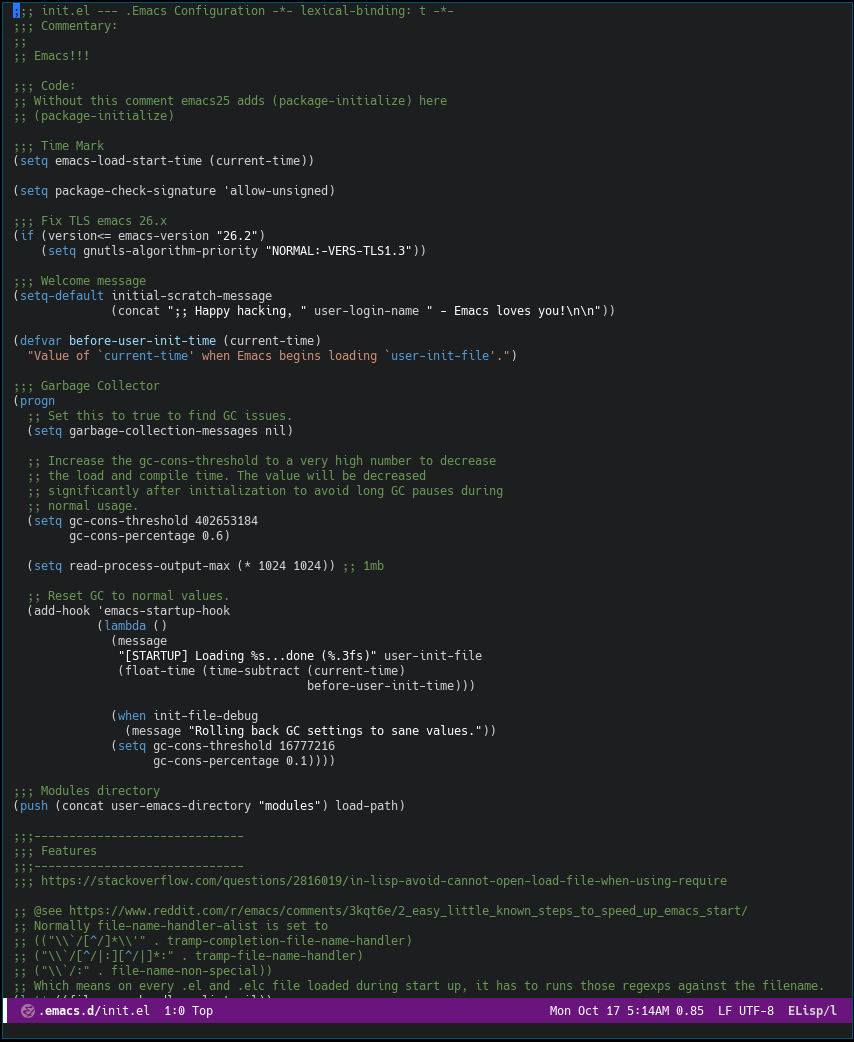


Table of Contents
- Features
- Quick Start
- Installation
- Requirements
- Configuration
- Key Bindings
- Language Support
- Troubleshooting
- Project Structure
- License
Features
- Fast Startup - Optimized loading with garbage collection tuning
- Modern Theme - VSCode-inspired dark theme
- Package Management - ELPA + MELPA integration
- Enhanced Navigation - Ivy + Projectile for fuzzy finding
- Intelligent Completion - Company mode with multiple backends
- Multi-language Support - Python, JS/TS, PHP, Go, C/C++, and more
- Code Quality - Flycheck + Linter integration
- File Explorer - Neotree sidebar
- Dashboard - Clean startup screen
- Developer Tools - Docker, Terraform, REST client
Quick Start
# Clone the repository
git clone https://git.fridu.us/software/emacs-personal.git ~/.emacs.d/

# Copy environment configuration
cp ~/.emacs.d/.env.example ~/.emacs.d/.env

# Initialize packages (first time only)
emacs --batch --eval='(load-file "~/.emacs.d/init.el")'
Installation
Step 1: Refresh Package Contents
Inside Emacs, run:
M-x package-refresh-contents [RET]
Step 2: Clone Repository
Primary Mirror
git clone https://git.fridu.us/software/emacs-personal.git ~/.emacs.d/
Secondary Mirror
git clone https://git.sr.ht/~heckyel/emacs-personal ~/.emacs.d/
Step 3: Configure Environment
cp -v ~/.emacs.d/.env.example ~/.emacs.d/.env
Step 4: Initialize
emacs --batch --eval='(load-file "~/.emacs.d/init.el")'
Requirements
System Dependencies
| Package | Description |
|---|---|
ttf-hack |
Hack font family |
ttf-anonymous-pro |
Anonymous Pro font |
hyphen |
Hyphenation patterns |
hyphen-es |
Spanish hyphenation |
markdown |
Markdown processor |
shellcheck |
Shell script analyzer |
python-virtualenv |
Python virtual environments |
python-pylint |
Python linter |
Install on Arch Linux
sudo pacman -S ttf-hack ttf-anonymous-pro hyphen hyphen-es \
             markdown shellcheck python-virtualenv python-pylint
Install on Debian/Ubuntu
sudo apt install fonts-hack fonts-anonymous-pro hyphen hyphen-es \
                 markdown shellcheck python3-venv pylint
Configuration
Fonts
Edit init-gui.el to customize typography:
(if (member "Hack" (font-family-list))
    (set-frame-font "Hack-9")
  (set-frame-font "DejaVu Sans Mono-10"))
Icons
Install all-the-icons package:
emacs --batch --eval="(progn (package-initialize) (package-install 'all-the-icons))"
Then press F8 to open Neotree (will prompt to install fonts on first run).
Environment Variables
Copy and edit .env.example:
cp ~/.emacs.d/.env.example ~/.emacs.d/.env
Key Bindings
| Key | Action |
|---|---|
F6 |
Toggle line numbers |
F8 |
Open Neotree file explorer |
F11 |
Toggle fullscreen |
F12 |
Revert buffer |
M-0 |
Reset frame transparency |
S-C-+ |
Increase font size |
S-C-- |
Decrease font size |
S-h |
Toggle highlight current line |
C-> |
Mark next occurrence (multi-cursor) |
C-< |
Mark previous occurrence (multi-cursor) |
C-c C-< |
Mark all occurrences (multi-cursor) |
C-x e |
Evaluate last expression |
Language Support
Python
# Install dependencies
sudo pacman -S python-virtualenv python-pylint
| Command | Action |
|---|---|
M-x pyvenv-mode |
Toggle virtualenv |
M-x pyvenv-create |
Create virtualenv |
M-x pyvenv-activate |
Activate virtualenv |
JavaScript / TypeScript
- Auto-completion with Company mode
- Syntax checking with Flycheck
- Emmet support for HTML/CSS
Shell Scripts
sudo pacman -S shellcheck
Markdown
# Arch
sudo pacman -S markdown

# Debian/Ubuntu
sudo apt install markdown
Other Languages
- C/C++/C#
- PHP
- Go
- Lua
- Ruby
- YAML
- Dockerfile
- Terraform
- reStructuredText (ox-reveal)
Troubleshooting
GPG Signature Error
Failed to verify signature archive-contents.sig:
No public key for 066DAFCB81E42C40
Method 1: Import GPG Key
gpg --homedir ~/.emacs.d/elpa/gnupg --receive-keys 066DAFCB81E42C40
Method 2: Disable Signature Check (Temporary)
# Disable signature check
sed -i "s|(setq package-check-signature 'allow-unsigned)|(setq package-check-signature nil)|g" \
  "$HOME/.emacs.d/init.el"

# Inside Emacs
M-x package-install RET gnu-elpa-keyring-update RET

# Re-enable signature check
sed -i "s|(setq package-check-signature nil)|(setq package-check-signature 'allow-unsigned)|g" \
  "$HOME/.emacs.d/init.el"
Package Installation Issues
If packages fail to install, try:
M-x package-refresh-contents
M-x package-reinstall RET <package-name> RET
Font Issues
If fonts don't render correctly:
- Install fonts:
M-x all-the-icons-install-fonts - Restart Emacs
- Check available fonts:
M-x font-selector
Project Structure
~/.emacs.d/
├── init.el              # Main configuration file
├── custom.el            # User customizations (auto-generated)
├── settings.el          # Personal settings
├── .env.example         # Environment variables template
├── modules/             # Feature modules
│   ├── init-gui.el      # GUI settings
│   ├── init-elpa.el     # Package management
│   ├── init-company.el  # Auto-completion
│   ├── init-flycheck.el # Syntax checking
│   ├── init-python.el   # Python support
│   └── ...
└── elpa/                # Installed packages
License
This project is licensed under the GNU General Public License v3.0 or later - see the LICENSE file for details.
Acknowledgments
Hosted on git.fridu.us
Happy hacking!